Hartmut Neven (born 1964) is a German American scientist working in quantum computing, computer vision, robotics and computational neuroscience. He is best known for his work in face and object recognition and his contributions to quantum machine learning. He is currently Vice President of Engineering at Google where he leads the Quantum Artificial Intelligence Lab, which he founded in 2012. == Education == Hartmut Neven studied Physics and Economics in Brazil, Köln, Paris, Tübingen and Jerusalem. He wrote his Master thesis on a neuronal model of object recognition at the Max Planck Institute for Biological Cybernetics under Valentino Braitenberg. In 1996 he received his Ph.D. in Physics from the Institute for Neuroinformatics at the Ruhr University in Bochum, Germany, for a thesis on "Dynamics for vision-guided autonomous mobile robots" written under the tutelage of Christoph von der Malsburg. He received a scholarship from the Studienstiftung des Deutschen Volkes, Germany's most prestigious scholarship foundation. == Work == In 1998 Neven became research professor of computer science at the University of Southern California at the Laboratory for Biological and Computational Vision. In 2003 he returned as the head of the Laboratory for Human-Machine Interfaces at USC's Information Sciences Institute. === Face recognition, avatars and face filters === Neven co-founded two companies, Eyematic for which he served as CTO and Neven Vision which he initially led as CEO. At Eyematic he developed face recognition technology and real-time facial feature analysis for avatar animation. Teams led by Neven have repeatedly won top scores in government sponsored tests designed to determine the most accurate face recognition software. Face filters, now ubiquitous on mobile phones, were launched for the first time by Neven Vision on the networks of NTT DoCoMo and Vodafone Japan in 2003. Neven Vision also pioneered mobile visual search for camera phones. Neven Vision was acquired by Google in 2006. === Object recognition and adversarial images === At Google he managed teams responsible for advancing Google's visual search technologies. His team launched Google Goggles now Google Lens. The concept of adversarial patterns originated in his group when he tasked Christian Szegedy with a project to modify the pixel inputs of a deep neural network to lower the activity of select output nodes. The motivation was to use this technique for object localization which did not work out. But the idea gave rise to the fields of adversarial learning and DeepDream art. In 2013 his optical character recognition team won the ICDAR Robust Reading Competition by a wide margin and in 2014 the object recognition team won the ImageNet challenge. === Google Glass === Neven was a co-founder of the Google Glass project. His team completed the first prototype, codenamed Ant, in 2011. === Quantum Artificial Intelligence === In 2006 Neven started to explore the application of quantum computing to hard combinatorial problems arising in machine learning. In collaboration with D-Wave Systems he developed the first image recognition system based on quantum algorithms. It was demonstrated at SuperComputing07. At NIPS 2009 his team demonstrated the first binary classifier trained on a quantum processor. In 2012 together with Pete Worden at NASA Ames he founded the Quantum Artificial Intelligence Laboratory. In 2014 he invited John M. Martinis and his group at UC Santa Barbara to join the lab to start a fabrication facility for superconducting quantum processors. The Quantum Artificial Intelligence team performed the first experimental demonstration of a scalable simulation of a molecule. In 2016 the team formulated an experiment to demonstrate quantum supremacy. Quantum supremacy was then declared by Google in October 2019. In 2023 Quantum AI researchers demonstrated that quantum error correction works in practice by showing for the first time that the error of a logical qubit decreases when increasing the number of physical qubits it is composed of. Google's quantum processors have been used to study the physics of quantum many body states that otherwise are challenging to prepare in a laboratory such as time crystals, traversable wormholes and non-Abelian anyons. ==== Neven's law ==== Neven's law states that the performance of quantum computers improves at a doubly exponential rate.
Patent visualisation
Patent visualisation is an application of information visualisation. The number of patents has been increasing, encouraging companies to consider intellectual property as a part of their strategy. Patent visualisation, like patent mapping, is used to quickly view a patent portfolio. Software dedicated to patent visualisation began to appear in 2000, for example Aureka from Aurigin (now owned by Thomson Reuters). Many patent and portfolio analytics platforms, such as Questel, Patent Forecast, PatSnap, Patentcloud, Relecura, and Patent iNSIGHT Pro, offer options to visualise specific data within patent documents by creating topic maps, priority maps, IP Landscape reports, etc. Software converts patents into infographics or maps, to allow the analyst to "get insight into the data" and draw conclusions. Also called patinformatics, it is the "science of analysing patent information to discover relationships and trends that would be difficult to see when working with patent documents on a one-and-one basis". Patents contain structured data (like publication numbers) and unstructured text (like title, abstract, claims and visual info). Structured data are processed by data-mining and unstructured data are processed with text-mining. == Data mining == The main step in processing structured information is data-mining, which emerged in the late 1980s. Data mining involves statistics, artificial intelligence, and machine learning. Patent data mining extracts information from the structured data of the patent document. These structured data are bibliographic fields such as location, date or status. === Structured fields === === Advantages === Data mining allows study of filing patterns of competitors and locates main patent filers within a specific area of technology. This approach can be helpful to monitor competitors' environments, moves and innovation trends and gives a macro view of a technology status. == Text-mining == === Principle === Text mining is used to search through unstructured text documents. This technique is widely used on the Internet, it has had success in bioinformatics and now in the intellectual property environment. Text mining is based on a statistical analysis of word recurrence in a corpus. An algorithm extracts words and expressions from title, summary and claims and gathers them by declension. "And" and "if" are labeled as non-information bearing words and are stored in the stopword list. Stoplists can be specialised in order to create an accurate analysis. Next, the algorithm ranks the words by weight, according to their frequency in the patent's corpus and the document frequency containing this word. The score for each word is calculated using a formula such as: W e i g h t = T e r m F r e q u e n c y D o c u m e n t F r e q u e n c y = F r e q u e n c y o f t h e w o r d o r e x p r e s s i o n i n t h e T e x t S e a N u m b e r o f d o c u m e n t s c o n t a i n i n g t h e e x p r e s s i o n o r w o r d {\displaystyle Weight={\frac {Term\ Frequency}{Document\ Frequency}}={\frac {Frequency\ of\ the\ word\ or\ expression\ in\ the\ Text\ Sea}{Number\ of\ documents\ containing\ the\ expression\ or\ word}}} A frequently used word in several documents has less weight than a word used frequently in a few patents. Words under a minimum weight are eliminated, leaving a list of pertinent words or descriptors. Each patent is associated to the descriptors found in the selected document. Further, in the process of clusterisation, these descriptors are used as subsets, in which the patent are regrouped or as tags to place the patents in predetermined categories, for example keywords from International Patent Classifications. Four text parts can be processed with text-mining : Title Abstract Claim Patent Full-Text Software offer different combinations but title, abstract and claim are generally the most used, providing a good balance between interferences and relevancy. === Advantages === Text-mining can be used to narrow a search or quickly evaluate a patent corpus. For instance, if a query produces irrelevant documents, a multi-level clustering hierarchy identifies them in order to delete them and refine the search. Text-mining can also be used to create internal taxonomies specific to a corpus for possible mapping. == Visualisations == Allying patent analysis and informatic tools offers an overview of the environment through value-added visualisations. As patents contain structured and unstructured information, visualisations fall in two categories. Structured data can be rendered with data mining in macrothematic maps and statistical analysis. Unstructured information can be shown in like clouds, cluster maps and 2D keyword maps. === Data mining visualisation === === Text mining visualisation === === Visualisation for both data-mining and text-mining === Mapping visualisations can be used for both text-mining and data-mining results. == Uses == What patent visualisation can highlight: Competitors Partners New innovations Technologic environment description Networks Field application: R&D strategy management Competitive intelligence Licensing Strategy
Chasys Photo
Chasys Photo (previously called Chasys Draw Artist, then Chasys Draw IES) is a suite of applications including a layer-based raster graphics editor with adjustment layers, linked layers, timeline and frame-based animation, icon editing, image stacking and comprehensive plug-in support (Chasys Draw IES Artist), a fast multi-threaded image file converter (Chasys Draw IES Converter) and a fast image viewer (Chasys Draw IES Viewer), with RAW image support in all components. It supports the native file formats of several competitors including Adobe Photoshop, Affinity Photo, Corel Photo-Paint, GIMP, Krita, Paint.NET and PaintShop Pro, and the whole suite is designed to make effective use of multi-core processors, touch-screens and pen-input devices. The software is developed by John Paul Chacha in Nairobi, Kenya. Chasys Draw IES is currently released as freeware, and is available for computers running Microsoft Windows operating systems. It is available in three distributions: the standard distro, a portable version and a Microsoft Store version. The suite is coded in a blend of C, C++ and assembly language. It runs on x86 processors and supports the MMX, SSE, SSE2, S-SSE3, and SSE4.1 instruction sets. == History == Chasys Draw is a project that was started in November 2001 by John Paul Chacha, mostly as a hobby than anything else. The original Chasys Draw was a rather simple bitmap editor done in Visual Basic, a lot like MS Paint save for its ability to do gradients. This application underwent many changes, eventually leading up to Chasys Draw 5. This was the first version to have its own native format, referred to simply as CD5. Major updates to the graphics code in May 2002 resulted in Chasys Draw DTFx (Direct Tool eFfects). The new graphics code being referred to here was actually a miniature bitmap abstraction engine that allowed for fast per-pixel operations and direct image buffer access (much as the DIB engine does for GDI). The engine was named JpDRAW. This version was also done in VB, but was much faster than all the previous versions. The new graphics code allowed for more tools to be implemented than was ever possible before. Later on in 2002, the developer decided to completely abandon VB as a programming platform and moved all the code to C/C++. The move to C/C++ allowed the development of a full-fledged graphics engine which was named JpDRAW2. Chasys was renamed to Chasys Draw Artist, and the CD5 image format was also updated to reflect the new features. By coincidence, the module that implemented the file format was the fifth module to be added, so the format was called Chasys Draw module 5, retaining the .cd5 file extension. First public release In April 2004, Chasys Draw Artist was released to the public via the internet for the first time (version 1.27). The release was done via betanews). In 2005, Chasys Draw underwent major user interface changes as well as internal changes. By December of that year, the project had reached version 1.63. This was the first version to introduce advanced features such as anti-aliasing. It was also the first version with full support for alpha channels. The CD5 image format was also upgraded to version 2, adding advanced compression, full alpha channels, encryption and metadata. Version 1.63 was the first version to win an IEEE (Kenya chapter) award in ICT. The "chazy-glass" interface, from which the all later versions' user interfaces borrowed, was introduced in version 1.80. Chasys Draw Artist adopted photo editing features in version 2.01. Comprehensive tutorials were added and many features were re-designed to make them easier to use. Multi-threading was introduced to accelerate some tasks, such as the improved auto-save engine. Utilities such as a converter and browser were added. Version 2.43 of Chasys Draw Artist was quietly released to the public in late 2007 without any announcements. It featured many fixes to the formal version 2.42, as well as many new features. The quiet release was due to a decision to re-build Chasys Draw Artist from scratch, while still continuing support for the old architecture. An experimental version 2.45 was released only to beta-testers for the purpose of testing new technologies that would be included in the new architecture and was officially withdrawn in May 2008. During the time when the versions 2.43~2.45 were being released, work was underway to create a new layer-based Chasys Draw, which was released as Chasys Draw IES (Image Editing Suite), with the initial version number 2.50. A new multi-layer tag-based image format was created to support layering and blending modes; this was named CD5 v3. The next version introduced animation and multi-resolution support as editing modes, and the next one brought in an unlimited undo engine, new plug-ins and several internal fixes. Further development led to the introduction of super-resolution and image stacking, support for video and video capture, Anti-aliasing, metadata save and restore, a "Pen and Path" tool, physical measurement specification, and a video sequence composer engine. The user interface was enhanced with adaptive scrolling and the auto-save engine was optimized. Some memory management was added for machines with low RAM. By version 2.60, Chasys Draw IES was capable of loading Photoshop's PSD files, as well as load and save JPEG 2000. This version also had shell integration with thumbnails and application-level support for multi-monitor display setups. Metadata was extended to support save, restore and scaling for text formatting and path data. There was also a new palette with exchangeable swatches, loadable from all kinds of palette files. A slicing tool for web and user interface design was also included. A C++ code module output for inline image generation was added, as was a constrained recolor brush. The concept of a "fully anti-aliased work-flow" was introduced in version 2.62, in which all drawing and selection tools were anti-aliased by default. Support for Photoshop plug-ins using Adobe's 8bf format was added in version 2.66, allowing users to utilize thousands of free plug-ins available online. Equivalents for the Pantone palettes (PMS 100 to 814-2x) were added, and the "Just-in-Time" memory compressor significantly reduced the editor's memory requirements. First freeware release Chasys Draw IES went freeware on 6 June 2009. With the coming of the freeware IES, two blending modes (Hue and Chroma) were added. Textures were improved to allow multiple layer-based textures. The TextArt G3 engine was enhanced with LINK metadata, and alpha shift was improved. IES 2.72 added the Luma Wand tool, fixed PNG and TIFF transparency issues, and fixed Smart-Paste transparency. IES 2.74 introduced alpha protection, and 2.75 followed with a new adjustments engine that faced out many effects implemented by the effects engine. The adjustments engine was designed to appeal to experienced image editors. IES 2.76 introduced a new transform engine and the Resizer for IES plug-in supporting multi-core and 18 scaling methods, including customizable windowed Sinc interpolation. IES 2.77 added Greyscale with Tint adjustment, separated the Lock and Click-Thru layer properties, extended the Cloning Brush with three options (this, below and composite) and also extended the Color Picker with multiple point sampling. IES 3.01 brought a new look and many breakthrough tools to the suite. It was geared toward touch and was fully compatible with Windows 7. The toolbox was reorganized, with some tools being grouped and new ones added. Some message boxes were replaced with a new popup system, and the working of the workspace was changed to use a back-blitter, which enabled the addition of new blending modes, Screen and Mask. The printing interface was modified and given accurate proofing. Alpha Function Adjustment was added and a new Anti-Quantization Engine included for all adjustments to remove the need for 16 bits per channel editing. An internal clipboard was created to cater for copying images that are too large for the Windows clipboard, and translucency full-page gradients added. Some new tutorials were added and keyboard shortcuts made configurable. IES 3.05 brought the power of custom full-page gradients to the suite, supporting .ggr, .grd and .gra gradients. New gradient styles were included, as was support for Adobe color tables (.act), palette previewing, point color editing and a highly improved TextArt engine. Digital lightroom IES 3.11 was introduced on 14 December 2009. It was done on a new development base and added a new application, raw-Input. This was a RAW image format processor based on dcraw. This application allowed the use of Chasys Draw IES in processing digital negatives, which are popular with professional photographers. Chasys Draw IES 3.24 was released with a re-designed user interface, powered by a higher performance graphics core and better memory management. A history palette w
Deluxe Paint
Deluxe Paint, often referred to as DPaint, is a bitmap graphics editor created by Dan Silva for Electronic Arts and published for the then-new Amiga 1000 in November 1985. A series of updated versions followed, some of which were ported to other platforms. An MS-DOS release with support for the 256 color VGA standard became popular for creating pixel graphics in video games in the 1990s. Author Dan Silva previously worked on the Cut & Paste word processor (1984), also from Electronic Arts. == History == Deluxe Paint began as an in-house art development tool called Prism. As author Dan Silva added features to Prism, it was developed as a showcase product to coincide with the Amiga's debut in 1985. Upon release, it was quickly embraced by the Amiga community and became the de facto graphics (and later animation) editor for the platform. Amiga manufacturer Commodore International later commissioned EA to create version 4.5 AGA to bundle with the new Advanced Graphics Architecture chipset (A1200, A4000) capable Amigas. Version 5 was the last release after Commodore's bankruptcy in 1994. Early versions of Deluxe Paint were available in protected and non copy-protected versions, the latter retailing for a slightly higher price. The copy protection scheme was later dropped. Deluxe Paint was first in a series of products from the Electronic Arts Tools group—then later moved to the ICE (for Interactivity, Creativity, and Education) group—which included such Amiga programs as Deluxe Music Construction Set (preceded by Music Construction Set for the Apple II), Deluxe Video, and the Studio series of paint programs for the Mac. With the development of Deluxe Paint, EA introduced the ILBM and ANIM file format standards for graphics. While widely used on the Amiga, these formats never gained widespread end user acceptance on other platforms, but were heavily used by game development companies. Deluxe Paint was used by LucasArts to make graphics for their adventure games such as The Secret of Monkey Island, and the name of a particular filename used to store the main protagonist Guybrush Threepwood was probably at the origin of his peculiar name. One of the main artist developer of the game, Mark Ferrari, in an interview for The Making of Monkey Island 30th Anniversary Documentary remembers that "there was a pulldown menu in DPaint called brushes, so character sprites were referred to as brushes", and the male protagonist was simply "the guy.brush" until the artist Steve Purcell suggested to take the very name "Guybrush". The author Ron Gilbert remembers that the PC DOS version of the file was named "guybrush.bbm". == Versions == === Amiga === Deluxe Paint I was released in 1985. A major feature was animation by using color cycling. The Amiga natively supports indexed color, where a pixel's color value does not carry any RGB hue information but instead is an index to a color palette (a collection of unique color values). By adjusting the color value in the palette, all pixels with that palette value change simultaneously in the image or animation, creating cyclic movement in the image. In the Christmas demo files on the Deluxe Paint I disk, this kind of animation (which is toggled by pressing the tab key) is used to depict falling snowflakes, a blinking Christmas tree, and a roaring fire in the fireplace. In 1986, Deluxe Paint II was introduced, which added many convenient features such as pattern and gradient fill, which could be selected by right-clicking on a fill tool. An effects menu with e.g. perspective transformation was also added. The screen format could now be changed from a dedicated selection page. Deluxe Paint III appeared in 1989 and added support for Extra Halfbrite. New editing modes allowed one to stencil certain colors to protect them, so it is possible to e.g. paint a landscape from front to back, with the foreground protected by a stencil. A major new feature of Deluxe Paint III was the ability to create cel-like animation, and animbrushes (1MB of RAM is needed for animation). These let the user pick up a section of an animation as an "animbrush", which can then be placed onto the canvas while it animates. Deluxe Paint III was one of the first paint programs to support animbrushes. This is similar to copy and paste, except one can pick up more than one image. Deluxe Paint IV (introduced in 1991), which did not include Silva as the lead programmer, offered significant new features like non-bitplane-indexed Hold-and-Modify support for creating images with up to 4,096 colors. Animation support was improved by adding a light table, i.e. onion skinning, and AnimBrush morphing. The color mixer was now a HAM region at the bottom of the screen (instead of a floating window as before) and allowed mixing adjacent colors similar to a real palette. Deluxe Paint 4.5 AGA appeared the following year, addressing the stability issues and providing support for the new A1200 and A4000 AGA machines and a revamped screen mode interface. It appeared in both standalone and Commodore-bundled versions. The final release, Deluxe Paint V, in 1995, supported true 24-bit RGB images. However, using only the AGA native chipset, the 24-bit RGB color was only held in computer memory, the on-screen image was displayed in HAM8 (18-bit color). === Apple IIGS === DeluxePaint II for the Apple IIGS was developed by Brent Iverson and released in 1987. === MS-DOS === Deluxe Paint II for MS-DOS was released in 1988, It required MS-DOS 2.0 and 640 kB of RAM. It supports CGA, EGA, MCGA, VGA, Hercules and Tandy IBM PC-compatible graphic cards. Deluxe Paint II Enhanced was released in 1989, requiring MS-DOS 2.11 and 640 kB of RAM. It supports resolutions up to 800x600 pixels with 256 colors. Deluxe Paint II Enhanced 2.0, released in 1994, was the most successful MS-DOS version, and was compatible with PC Paintbrush PCX image files. The MS-DOS conversion was done by Brent Iverson with the enhanced features by Steve Shaw. It supports CGA, EGA, MCGA, VGA, Hercules, Tandy, and Amstrad video cards, as well as early Super VGA video cards enabling it to support up to 800 × 600 with 256 (from 262,144) colors and 1024 × 768 with 16 colors. The sister product Deluxe Paint Animation (only for 320×200 pixels and 256 colors) was widely used, especially in video game development. === Atari ST === Deluxe Paint ST was developed by ArtisTech Development, published by Electronic Arts, and was released in 1990. It supports the Atari STE 4096 color palette and animated graphics. Features advertised for the Atari ST version include 3D perspective, design your own fonts, mirror symmetry, multi-color airbrushing & animations, printing up to poster size, split-screen magnification with variable zoom, and working on animations (including multiple animations). == Workflow == "[" and "]" hotkeys step through the indexed palette, turning indexed-pixel-painting into a fast two-handed mouse+keys process, and the right mouse button paints with the background color. For example, transparency is obtained as simply as selecting a background color index (a single right click on the palette GUI to change). colors could be locked from editing by use of a stencil (a list of color indices whose pixels should not be altered in the image data) and simple color-cycling animations could be created using contiguous entries in the palette. This was easy to change the hue and tone of a section of the image by altering the corresponding colors in the palette. (The specific section needed to use a dedicated part of the palette for this technique to work.) Brushes can be cut from the background by using the box, freehand, or polygon selection tools. They can then be used in the same manner as any other brush or pen. This functionality is simpler to use than the "stamp" tool of Photoshop or Alpha Channels as provided in later programs. Brushes can be rotated and scaled, even in 3D. After a brush is selected, it appears attached to the mouse cursor, providing an exact preview of what will be drawn. This allows precise pixel positioning of brushes. Animations stored in IFF ANIM format are delta compressed making animations both smaller and faster to playback. == Reception == Compute! criticized the documentation of the first release of DeluxePaint as inadequate, but stated that "DeluxePaint is a visual arts program of immense scope and flexibility". In later versions the documentation was much improved; for instance DeluxePaint IV came with a 300-page manual. Deluxe Paint was a hit for EA. The main line of the series, particularly installments one to three, has won a total of at least nine awards from independent publications and organizations, including three Amiga-specific awards. Deluxe Paint III also won Commodore International's Enterprise and Vision award in 1990, becoming the first software to win the award, for what the company's judges believed to be best utilizing the Amiga's graphical capabilities. Deluxe Pai
Drops (app)
Drops is a language learning app that was created in Estonia by Daniel Farkas and Mark Szulyovszky in 2015. It is the second product from the company, after their first app, LearnInvisible, had issues in retaining a user's engagement over the required time period. The languages available include Native Hawaiian and Māori, and was classified as one of the fifty "Most Innovative Companies" for 2019 by Fast Company. The company partnered with Global Eagle Entertainment to include Travel Talk, a feature intended to focus on words and phrases frequently used by travelers. At the beginning of the COVID-19 pandemic in March 2020, the number of users increased by 55 percent in the United States and 92 percent in the United Kingdom. Droplets, a language app for children, includes profiles for multiple teachers working with remote students. The company also produces an app called Scripts, intended to help users learn to write alphabets. The app was purchased by the Norwegian company Kahoot! on 24 November 2020.
Machine learning in video games
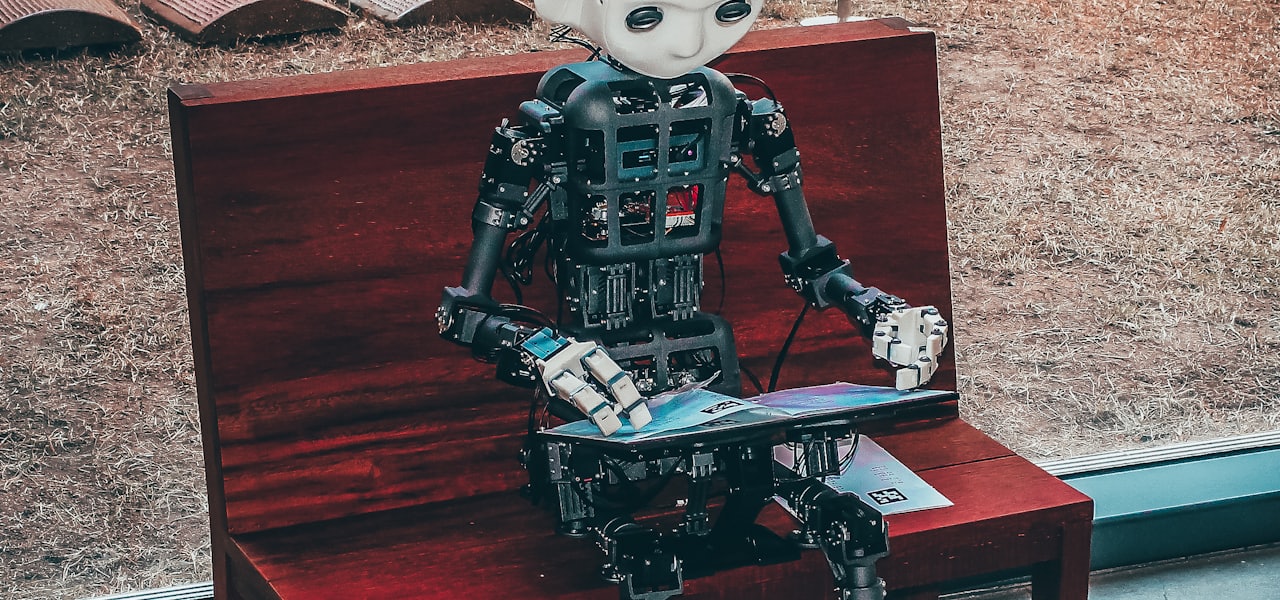
Artificial intelligence and machine learning techniques are used in video games for a wide variety of applications such as non-player character (NPC) control, procedural content generation (PCG) and deep learning-based content generation. Machine learning is a subset of artificial intelligence that uses historical data to build predictive and analytical models. This is in sharp contrast to traditional methods of artificial intelligence such as search trees and expert systems. Information on machine learning techniques in the field of games is mostly known to public through research projects as most gaming companies choose not to publish specific information about their intellectual property. The most publicly known application of machine learning in games is likely the use of deep learning agents that compete with professional human players in complex strategy games. There has been a significant application of machine learning on games such as Atari/ALE, Doom, Minecraft, StarCraft, and car racing. Other games that did not originally exists as video games, such as chess and Go have also been affected by the machine learning. == Overview of relevant machine learning techniques == === Deep learning === Deep learning is a subset of machine learning which focuses heavily on the use of artificial neural networks (ANN) that learn to solve complex tasks. Deep learning uses multiple layers of ANN and other techniques to progressively extract information from an input. Due to this complex layered approach, deep learning models often require powerful machines to train and run on. ==== Convolutional neural networks ==== Convolutional neural networks (CNN) are specialized ANNs that are often used to analyze image data. These types of networks are able to learn translation invariant patterns, which are patterns that are not dependent on location. CNNs are able to learn these patterns in a hierarchy, meaning that earlier convolutional layers will learn smaller local patterns while later layers will learn larger patterns based on the previous patterns. A CNN's ability to learn visual data has made it a commonly used tool for deep learning in games. === Recurrent neural network === Recurrent neural networks are a type of ANN that are designed to process sequences of data in order, one part at a time rather than all at once. An RNN runs over each part of a sequence, using the current part of the sequence along with memory of previous parts of the current sequence to produce an output. These types of ANN are highly effective at tasks such as speech recognition and other problems that depend heavily on temporal order. There are several types of RNNs with different internal configurations; the basic implementation suffers from a lack of long term memory due to the vanishing gradient problem, thus it is rarely used over newer implementations. ==== Long short-term memory ==== A long short-term memory (LSTM) network is a specific implementation of a RNN that is designed to deal with the vanishing gradient problem seen in simple RNNs, which would lead to them gradually "forgetting" about previous parts of an inputted sequence when calculating the output of a current part. LSTMs solve this problem with the addition of an elaborate system that uses an additional input/output to keep track of long term data. LSTMs have achieved very strong results across various fields, and were used by several monumental deep learning agents in games. === Reinforcement learning === Reinforcement learning is the process of training an agent using rewards and/or punishments. The way an agent is rewarded or punished depends heavily on the problem; such as giving an agent a positive reward for winning a game or a negative one for losing. Reinforcement learning is used heavily in the field of machine learning and can be seen in methods such as Q-learning, policy search, Deep Q-networks and others. It has seen strong performance in both the field of games and robotics. === Neuroevolution === Neuroevolution involves the use of both neural networks and evolutionary algorithms. Instead of using gradient descent like most neural networks, neuroevolution models make use of evolutionary algorithms to update neurons in the network. Researchers claim that this process is less likely to get stuck in a local minimum and is potentially faster than state of the art deep learning techniques. == Deep learning agents == Machine learning agents have been used to take the place of a human player rather than function as NPCs, which are deliberately added into video games as part of designed gameplay. Deep learning agents have achieved impressive results when used in competition with both humans and other artificial intelligence agents. === Chess === Chess is a turn-based strategy game that is considered a difficult AI problem due to the computational complexity of its board space. Similar strategy games are often solved with some form of a Minimax Tree Search. These types of AI agents have been known to beat professional human players, such as the historic 1997 Deep Blue versus Garry Kasparov match. Since then, machine learning agents have shown ever greater success than previous AI agents. === Go === Go is another turn-based strategy game which is considered an even more difficult AI problem than chess. The state space of is Go is around 10^170 possible board states compared to the 10^120 board states for Chess. Prior to recent deep learning models, AI Go agents were only able to play at the level of a human amateur. ==== AlphaGo ==== Google's 2015 AlphaGo was the first AI agent to beat a professional Go player. AlphaGo used a deep learning model to train the weights of a Monte Carlo tree search (MCTS). The deep learning model consisted of 2 ANN, a policy network to predict the probabilities of potential moves by opponents, and a value network to predict the win chance of a given state. The deep learning model allows the agent to explore potential game states more efficiently than a vanilla MCTS. The network were initially trained on games of humans players and then were further trained by games against itself. ==== AlphaGo Zero ==== AlphaGo Zero, another implementation of AlphaGo, was able to train entirely by playing against itself. It was able to quickly train up to the capabilities of the previous agent. === StarCraft series === StarCraft and its sequel StarCraft II are real-time strategy (RTS) video games that have become popular environments for AI research. Blizzard and DeepMind have worked together to release a public StarCraft 2 environment for AI research to be done on. Various deep learning methods have been tested on both games, though most agents usually have trouble outperforming the default AI with cheats enabled or skilled players of the game. ==== Alphastar ==== Alphastar was the first AI agent to beat professional StarCraft 2 players without any in-game advantages. The deep learning network of the agent initially received input from a simplified zoomed out version of the gamestate, but was later updated to play using a camera like other human players. The developers have not publicly released the code or architecture of their model, but have listed several state of the art machine learning techniques such as relational deep reinforcement learning, long short-term memory, auto-regressive policy heads, pointer networks, and centralized value baseline. Alphastar was initially trained with supervised learning, it watched replays of many human games in order to learn basic strategies. It then trained against different versions of itself and was improved through reinforcement learning. The final version was hugely successful, but only trained to play on a specific map in a protoss mirror matchup. === Dota 2 === Dota 2 is a multiplayer online battle arena (MOBA) game. Like other complex games, traditional AI agents have not been able to compete on the same level as professional human player. The only widely published information on AI agents attempted on Dota 2 is OpenAI's deep learning Five agent. ==== OpenAI Five ==== OpenAI Five utilized separate long short-term memory networks to learn each hero. It trained using a reinforcement learning technique known as Proximal Policy Learning running on a system containing 256 GPUs and 128,000 CPU cores. Five trained for months, accumulating 180 years of game experience each day, before facing off with professional players. It was eventually able to beat the 2018 Dota 2 esports champion team in a 2019 series of games. === Planetary Annihilation === Planetary Annihilation is a real-time strategy game which focuses on massive scale war. The developers use ANNs in their default AI agent. === Supreme Commander 2 === Supreme Commander 2 is a real-time strategy (RTS) video game. The game uses Multilayer Perceptrons (MLPs) to control a platoon’s reaction to encountered enemy units. Total of four MLPs are used, one for each platoon type: land, naval
Polynomial texture mapping
Polynomial texture mapping (PTM), also known as Reflectance Transformation Imaging (RTI), is a technique of imaging and interactively displaying objects under varying lighting conditions to reveal surface phenomena. The data acquisition method is single camera multi light (SCML). == Origins == The method was originally developed by Tom Malzbender of HP Labs in order to generate enhanced 3D computer graphics and it has since been adopted for cultural heritage applications. == Methodology == A series of images is captured in a darkened environment with the camera in a fixed position and the object lit from different angles (Single Camera Multi Light). Interactive software processes and combines the set of images to enable the user inspecting the object to control a virtual light source. The virtual light source may be manipulated to simulate light from different angles and of different intensity or wavelengths to illuminate the surface of artefacts and reveal details. Open-source tools for processing the captured images and publishing the resulting relightable images on the web are freely available. == Applications == Polynomial texture mapping may be used for detailed recording and documentation, 3D modeling, edge detection, and to aid the study of inscriptions, rock art and other artefacts. It has been applied to hundreds of the Vindolanda tablets by the Centre for the Study of Ancient Documents at the University of Oxford in conjunction with the British Museum. It has also been deployed, by Ben Altshuler of the Institute for Digital Archaeology, to scan the Philae obelisk at Kingston Lacy and the Parian Chronicle at the Ashmolean Museum; in both cases scans revealed significant, previously illegible text. Method was also used for identifying microscopic worked antler from Star Carr and recording ancient rock art in Armenia. A 'dome' supporting twenty-four lights has been used to image paintings in the National Gallery and produce polynomial texture maps, providing information on condition phenomena for conservation purposes. Studies of the technique at the National Gallery and Tate concluded that it is an effective tool for documenting changes in the condition of paintings, more easily repeatable than raking light photography, and therefore could be used to assess paintings during structural treatment and before and after loan. Twelve dome-based systems built by the University of Southampton have been used to capture thousands of cuneiform tablets at various museums. The technique is now also finding uses in the field of forensic science, for example in imaging footprints, tyre marks, and indented writing.